Free IPTV Trial: Test 23,000+ Channels Before You Buy
Buying an IPTV subscription without testing it first is a gamble — picture quality, channel choice and stability all vary hugely between providers. That is exactly why a free IPTV trial matters. It lets you see the service on your own devices, on your own connection, before you spend a penny. This guide explains how a free trial works, what to test, and how to get one with Titan Plus TV in minutes.
Skip ahead and try it now — test 23,000+ channels and 80,000+ titles in 4K, free.
Start your free trialWhat is a free IPTV trial?
A free IPTV trial is a short, no-cost preview of a full subscription. You get temporary access to the channels, sports and on-demand library so you can judge the quality for yourself. Think of it like a test drive: you would not buy a car without sitting in it, and you should not buy IPTV without watching it first.
A good trial is the clearest sign that a provider is confident in its service. If a company will not let you test anything before paying, that tells you something — and it is rarely good. (New to IPTV entirely? Start with our explainer on what IPTV is and how it works.)
Why testing before you buy matters
Not all IPTV is created equal. Two services can advertise the same channel count and the same “4K” label and still deliver wildly different experiences. The things that actually matter — how stable the stream is during a live match, how quickly channels load, how the picture holds up on a big screen, and whether your specific channels are included — can only be judged by watching.
Your home setup matters too. The same service can look flawless on a fast fibre connection and struggle on weaker Wi-Fi. A free trial lets you test the service on your own connection, your own devices and at the times you actually watch, so there are no surprises after you pay. It turns “I hope this is good” into “I know this works.”
How to get a free IPTV trial with Titan Plus TV
We keep it simple. There is no long form, no card details and no commitment:
- Message us on WhatsApp. Tap the button on this page to open a chat with our team.
- Tell us your device. Let us know what you will watch on — Smart TV, Firestick, Android, iPhone, Windows or MAG.
- We set up your trial. Our team sends your trial details and a short, plain-English setup guide.
- Start watching. Load it up, browse the channels and test the quality. Most people are watching within minutes.
What is included in your free trial?
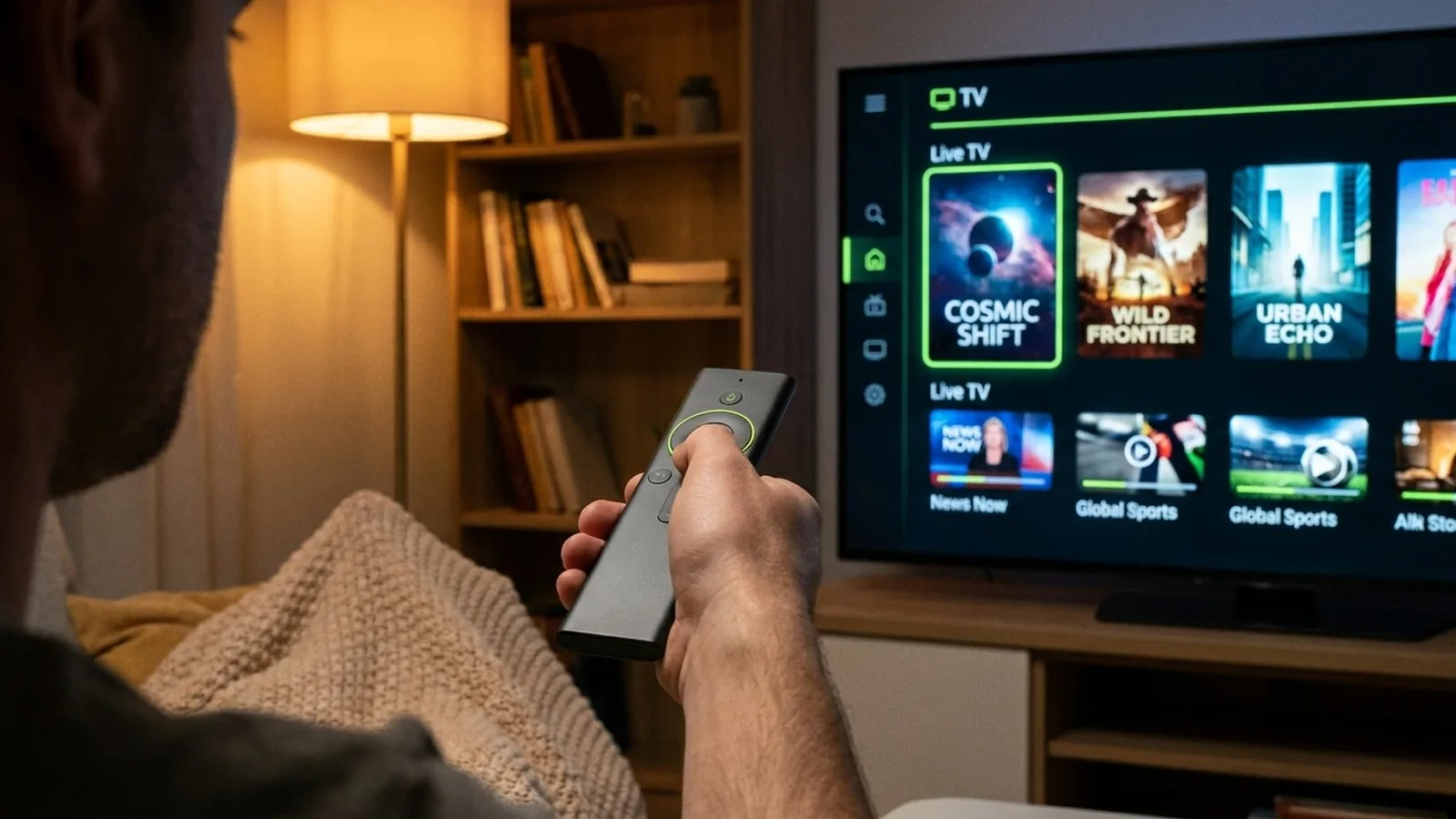
The trial is the real thing — not a stripped-back demo. During your trial you can explore:
- 23,000+ live channels from around the world, including news, entertainment and kids’ channels.
- Live sports — football, the major leagues, F1, UFC, NBA and more, so you can test the quality on a real event.
- 80,000+ movies and series on demand, updated regularly.
- Full 4K, UHD and HD streams, so you can see exactly how it looks on your screen.
- Multi-device access, so you can try it on the TV, the phone and the tablet.
- Catch-up and recording features where available, so you can see how easy the service is to live with day to day.
In short, the trial mirrors the paid experience as closely as possible. The only real difference is the length of access — everything else is exactly what you would get as a subscriber, which is the whole point of offering it.
How long is the free trial, and how does it work?
The trial is designed to be long enough to give you a genuine feel for the service across a few evenings of normal viewing — including at least one live event if you can. That is usually all it takes to know whether a provider is right for you.
There is no card on file and no automatic conversion to a paid plan, so you are never locked in. When the trial ends, you simply decide: continue with a plan, or walk away with no cost and no obligation. If you need a little longer to test something specific, just ask our team — we would rather you were sure than rushed.
What to test during your free trial
To get a real sense of the service, do not just load it and glance at the channel list. Put it through its paces:
1. Picture quality
Open a few 4K channels and an on-demand film. Look for a sharp, stable image without constant drops in resolution. On a big TV, quality is immediately obvious.
2. Live sport and peak-time stability
Sport is the hardest test for any IPTV service. If you can, watch part of a live match — that is when weak providers buffer and freeze. A strong, anti-freeze service stays smooth even at kick-off.
3. Channel choice
Check that the specific channels you care about are actually there and working — your home country’s channels, your sports, your kids’ favourites.
4. Your devices
Test it on each device you plan to use. A great service should work just as well on a phone as on a 65-inch TV. Our guide to the best devices for IPTV can help you pick the right one.
5. The programme guide and on-demand library
Browse the electronic programme guide (EPG) to see what is on, and dip into the on-demand library. A well-organised guide and a deep, up-to-date movie catalogue are signs of a service that is properly maintained.
6. Support response
Ask the team a question during your trial. How quickly and helpfully they reply is a preview of the support you will get as a paying customer. Responsive, friendly support before you have paid a penny is a very good sign.
What makes a great free trial (and a poor one)
Once you have tried a few services, the differences become obvious. A great trial gives you the full experience — every channel, real sport, genuine 4K — with no crippled “demo” limits, plus a clear setup guide and a person to help. A poor trial is short, restricted to a handful of channels, or hidden behind card details and small print designed to catch you out.
We deliberately keep ours generous and honest: the same service our paying customers enjoy, with nothing held back, so your decision is based on the real thing rather than a sales demo.
Why we offer a free trial
Plenty of providers avoid trials because their service cannot survive close inspection. We take the opposite view. We would rather you test everything first and subscribe with full confidence than buy blind and feel let down. A free trial is good for you and good for us — it means our paying customers actually wanted what they got.
Ready to see it for yourself? Your free trial is one message away.
Get my free trialFree trial vs “free IPTV”: an important difference
Searching online, you will see two very different things: a free trial of a legitimate paid service, and so-called “free IPTV” playlists that promise endless channels for nothing. They are not the same.
Free, unofficial playlists are usually unreliable, packed with dead links, and often stream content without a licence — which raises real legal and security risks. We cover this fully in our guide on whether IPTV is legal. A free trial of a transparent, licensed provider gives you the quality and peace of mind those random playlists never can.
Who is a free IPTV trial right for?
Almost anyone weighing up IPTV benefits from testing first, but a trial is especially useful if you are:
- A sports fan who needs to know the stream will hold up during a live match before committing to a season.
- An expat or international viewer who wants to confirm your home country’s channels are included and working.
- A family juggling kids’ channels, films and live TV across several rooms and devices.
- A cord-cutter leaving cable or satellite who wants proof that IPTV can replace it before cancelling anything.
- Anyone burned before by a provider that looked good on paper and buffered in practice.
In every case, the trial answers the only question that matters: “Does this actually work for me?”
Which devices can you use for your trial?
Titan Plus TV — trial and full subscription alike — works on all the devices you already own:
- Smart TVs — Samsung, LG and Android TV.
- Amazon Firestick & Fire TV — the most popular choice; just plug into an HDMI port. You can learn more on the official Amazon Fire TV page.
- Android phones, tablets and TV boxes.
- iPhone, iPad & Apple TV.
- Windows & Mac computers, great for watching at your desk.
- MAG boxes, if you already own one.
The Firestick is the most common starting point because it is inexpensive and works on any TV with an HDMI port, but a modern Smart TV needs nothing extra at all. During your trial, test every device you intend to use so you know the whole household is covered.
What internet speed do you need for IPTV?
IPTV is not demanding, but the picture quality scales with your connection. As a rough guide, around 10 Mbps comfortably handles HD, while 25 Mbps gives you plenty of headroom for 4K — even with other devices online. Your trial is the perfect moment to confirm your connection is up to it.
For the smoothest experience, especially with live sport, a wired Ethernet connection beats Wi-Fi every time. If wiring is not practical, sit close to your router or use a mesh system, and avoid running large downloads on the same network while you watch. Buffering during a trial is far more often a network issue than a service one, so a quick check of your setup pays off.
What sets Titan Plus TV apart
A trial shows you the quality, but it helps to know what is behind it. Titan Plus TV is built around a few simple promises:
- Real 4K quality on premium servers with adaptive bitrate, so the picture stays sharp.
- Anti-freeze technology that keeps live sport smooth when other services stutter at peak times.
- Instant activation — your line is ready within 5–7 minutes of ordering.
- 24/7 human support on WhatsApp, not a bot or a ticket queue.
- A money-back guarantee, so even after the trial you are protected.
These are exactly the things a free trial lets you confirm for yourself, rather than taking our word for it.
After your trial: simple, honest pricing
Once you are happy, switching to a full plan takes a moment. Our plans are straightforward — 1, 3, 6 or 12 months — with no contract and no auto-renewal, and every plan includes the same channels, 4K quality and support you tested during your trial. You can review them on our pricing page, and if anything is not right, our money-back guarantee has you covered.
Tips to get the most from your free trial
- Use a good connection. A wired connection or strong Wi-Fi gives the clearest picture of real performance.
- Test at peak times. Try it in the evening or during a live match, when networks are busiest.
- Try every device. Confirm it works everywhere you plan to watch.
- Keep your setup guide handy. It makes switching to a full plan effortless.
- Ask questions. Our team is happy to help you get set up during the trial.
- Watch what you normally watch. Test your real favourites — your league, your news channel, the films you would actually pick — rather than random channels, so the trial reflects your everyday use.
- Note how it feels, not just how it looks. Quick channel switching, a tidy guide and a responsive app make a service a pleasure to use night after night.
Common worries about free trials — answered
Will I be charged automatically?
No. Our free trial does not ask for card details and does not roll over into a paid plan. Nothing happens unless you actively choose to subscribe, so there is no risk of a surprise charge.
Is my information safe?
We only need a way to reach you and the device you will use. We do not sell your data, and you can read exactly how we handle it in our privacy policy.
What happens when the trial ends?
When the trial period finishes, access simply pauses. If you enjoyed it, you message us to start a plan; if not, you do nothing and owe nothing. It is entirely your call.
Is a free trial legal?
Yes — testing a legitimate, licensed service is completely legal. The grey area only appears with unlicensed “free IPTV” playlists, which we explain in our guide on whether IPTV is legal.
From trial to full subscription: how it works
If you decide to continue, upgrading is painless. You message us, choose the length of plan you want — 1, 3, 6 or 12 months — and confirm. Because you are already set up from the trial, there is usually nothing new to install: your existing app keeps working and your line is simply extended. Most customers go from “testing” to “subscribed” in a single short conversation, with the same channels, quality and support carrying straight over.
Why a free trial beats reviews and ratings
Online reviews are useful, but they have limits. Ratings can be gamed, a glowing review from someone on a fast connection in another country tells you little about your own setup, and what counts as “great quality” is subjective. A review is somebody else’s experience; a trial is yours.
When you test a service directly, you remove every variable that does not apply to you. You see how it performs on your TV, your connection and your favourite channels, at the times you actually watch. No amount of five-star reviews can match the certainty of watching a live match buffer-free on your own sofa. That is why, for IPTV, a hands-on trial is simply the smartest way to choose — and why we are glad to offer one.
The bottom line
A free IPTV trial removes all the risk from choosing a provider. Instead of trusting a sales pitch, you get to see the channels, the sport, the 4K quality and the support on your own screens — and only pay when you are genuinely happy. With Titan Plus TV that trial is quick, friendly and completely free.
Test 23,000+ channels and 80,000+ titles in 4K, on any device, free. Set up in minutes.
Start my free trial now